
How to set Coinbase Advanced Wallet

Since there’s no dedicated wallet type for Coinbase Advanced, I created a wallet of type Coinbase and setup auto-sync, as recommended:
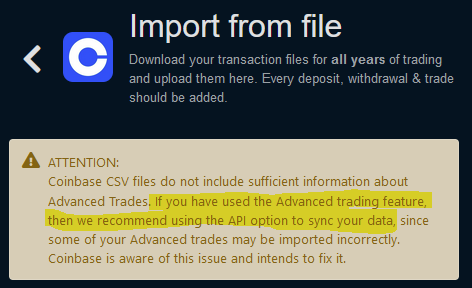
image

I guess this is what they mean by “the API key option”:
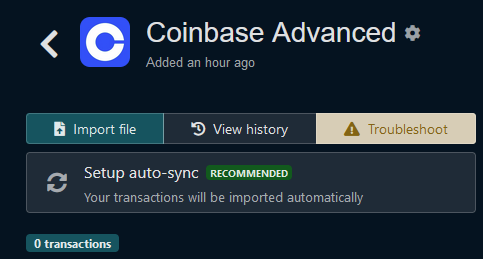
image

Setting up auto-sync comes back saying that it’s syncing but when done there are no transactions and “Setup auto-sync” is still available, as if the initial attempt didn’t work. Yet, Coinbase shows that access has been granted:
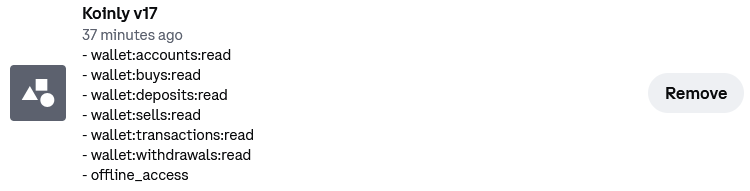
I tried setting up auto-sync twice more. The second time the connected app was Koinly v19 and then Koinly v18. Still no transactions coming up.

So, what is the way to create a wallet for Coinbase Advanced??

Hi @oimiak

Please follow the instructions in the guide below to recreate your “coinbase” wallet using auto-sync. The API will import your Advanced Trades.

https://koinly.io/integrations/coinbase/

Found out what was happening. After I setup autosync on the new wallet, Koinly was in fact autosyncing but to an old wallet only for the original Coinbase site with transactions manually uploaded and painstakingly curated. That screwed up the wallet. Luckily, the fix was as easy as deleting all the API transactions.

I ended up just uploading the CSV to the new Coinbase Advanced wallet. Contrary to the what others have experienced all trades were properly parsed.

1 Like

I am happy to hear that, @oimiak

This topic was automatically closed 3 hours after the last reply. New replies are no longer allowed.